The best translation apps for China depend on your phone and whether the features you need work offline. For most visitors, the safest setup is one general translator with Chinese and English downloaded, plus saved Chinese addresses and a second independent backup. iPhone users can start with Apple Translate; Android users should compare Google Translate and Microsoft Translator; Pleco is useful when you need to identify individual Chinese characters or Pinyin.
Last official-source check: September 8, 2026. The feature descriptions below come from current official documentation. They have not been presented as field-tested on ordinary mainland China connections. App availability, language support, online access and paid features can change, so download and test your exact setup before departure.
Quick Answer: Which Translation App Should You Use in China?
- Best built-in option for iPhone: Apple Translate, after downloading the required languages.
- Best broad feature set on iPhone and Android: Google Translate, especially for text and camera translation, but do not depend on its online functions in mainland China.
- Useful Android offline alternative: Microsoft Translator. Microsoft currently documents offline text and image translation on Android, not iPhone.
- Best specialist Chinese backup: Pleco for character, Pinyin and dictionary lookup. Its camera OCR is a paid add-on, not a free full-scene translator.
The practical answer is to prepare two layers: a general translation app and an offline record of your first hotel, transport bookings, destinations and critical phrases. If your main app cannot connect, your trip should still be manageable.
Translation Apps Compared
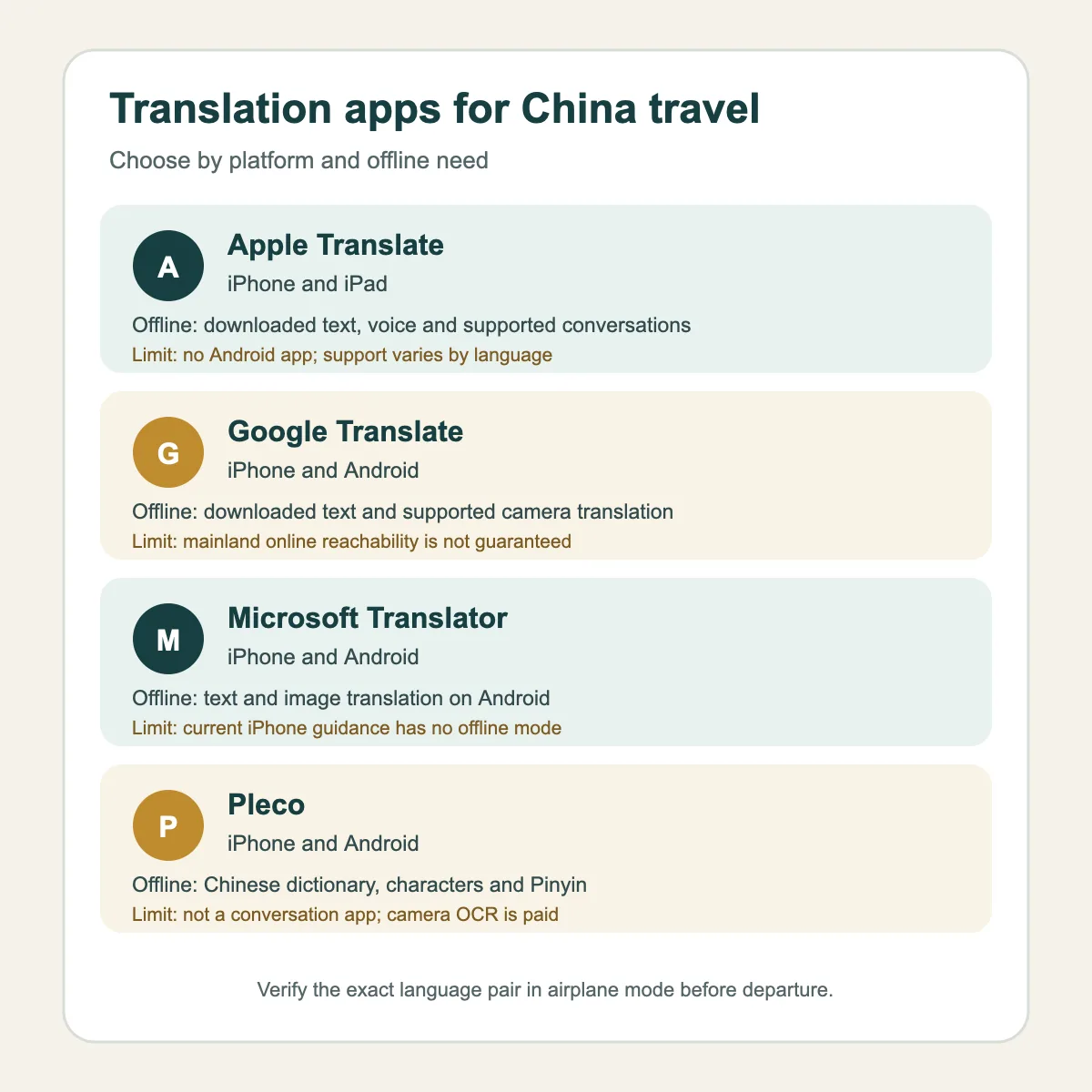
| App | Platforms | Useful offline role | Main limitation |
|---|---|---|---|
| Apple Translate | iPhone and iPad | Downloaded text, voice and supported conversation features | No Android app; exact language and feature support varies |
| Google Translate | iPhone and Android | Downloaded text and supported camera translation | Online reachability in mainland China is not guaranteed |
| Microsoft Translator | iPhone and Android | Downloaded text and image translation on Android | Current iPhone documentation does not offer offline translation |
| Pleco | iPhone and Android | Chinese dictionary, character and Pinyin lookup | Not a full conversation translator; camera OCR is paid |
Before You Download Anything
Translation is only one part of your phone setup. Complete the broader steps in our guide to apps to download before visiting China, then prepare translation separately.
- Confirm that the app is available in your phone’s current app-store region.
- Download Chinese and your preferred language while you still have reliable internet.
- Turn on airplane mode and test typed translation.
- Test camera translation separately. An offline text pack does not automatically prove that the camera works offline.
- Save your hotel’s Chinese name, full address, phone number and booking reference outside the app.
- Keep screenshots of train, flight and attraction bookings where you can open them without data.
If you need online features after arrival, prepare a realistic connection plan using our internet access guide for China. No app vendor reviewed for this guide guarantees that every online feature will work on every mainland mobile or Wi-Fi connection.
Apple Translate: Best Starting Point for iPhone Users
Apple officially documents text, voice, conversation and camera translation in the iPhone Translate app. It also allows users to download languages and process supported translations on the device. Apple’s current feature-availability information lists Mandarin Chinese for the ordinary Translate app in mainland China.
That makes Apple Translate a sensible first layer for an iPhone traveler: download both Chinese and your own language, enable on-device translation if appropriate, and verify the exact pair before flying. Apple notes that on-device results may be less accurate than online translation.
Do not confuse the ordinary Translate app with Apple Intelligence Live Translation. Apple lists separate regional and language restrictions for some Apple Intelligence functions. A feature being available in the standard Translate app does not mean every Apple Intelligence translation feature is available in mainland China.
Good travel uses
- Typing a short question and showing the translated text.
- Listening to a simple translated phrase.
- Reading supported text through the camera or a saved photo.
- Using downloaded languages when no connection is available.
Apple Translate is not available on Android. It should also not be your only source for medical, legal, safety-critical or navigation decisions. Apple itself warns against relying on machine translation in high-risk situations.
Google Translate: Broad Features, but Prepare Offline
Google officially documents Translate apps for iPhone and Android, downloadable languages, camera and imported-image translation, speech input and conversation tools. Feature availability varies by language, device and platform.
For a China trip, its strongest preparation value is offline text and supported camera translation. Download the required language pack and test both modes in airplane mode before departure. Do not assume that a feature working on home Wi-Fi proves that it will be reachable on an ordinary mainland connection.
Google’s general language list and feature-specific lists are not always identical. For example, support for Chinese text does not prove that the same Chinese variant is available in every live-speech or conversation mode. Follow the current in-app options on your device instead of relying on a generic feature count.
Good travel uses
- Understanding a menu from a clear photo.
- Reading short notices, labels or ticket-machine instructions.
- Preparing and saving common phrases.
- Handling typed questions offline after downloading the language.
If you sign in, Google says translations can be stored in cloud history. Signing out changes history and sync behavior, but it does not mean that every input is processed only on the phone. Review the current privacy controls if you plan to translate personal documents.
Microsoft Translator: Stronger as an Android Offline Backup
Microsoft officially documents text, image and speech translation on iPhone and Android. The important platform difference is offline use: current Microsoft guidance supports downloaded offline packs on Android, while its iPhone guidance says offline translation is not available.
On Android, Microsoft currently documents offline text and camera or photo translation after both the source and target languages have been downloaded. Speech, live conversation and microphone-based modes still require a connection. Test the installed packs before your trip and do not describe the voice tools as an offline fallback.
On iPhone, treat Microsoft Translator as an online secondary app unless the official platform guidance changes. It can still be useful when a working connection is available, but it does not replace an offline-capable first layer.
Microsoft’s older multi-device conversation feature has been retired. Avoid following old tutorials that ask several people to join the same conversation code.
Pleco: A Specialist Chinese Dictionary and OCR Backup
Pleco is different from the other three apps. It is built for Chinese dictionary lookup rather than broad, two-way travel conversations. Its official product pages document searches by Chinese characters, Pinyin or English, with simplified and traditional Chinese support and offline use after setup.
This is useful when you need to identify part of a station name, street address, menu item or printed notice. If a general camera translator produces a confusing sentence, Pleco can help you check the important characters one by one.
Pleco’s camera OCR is a paid add-on. It should not be described as a free camera translator, and it does not turn Pleco into a complete conversation app. Android users can obtain the app directly from Pleco as well as through Google Play, which can be useful if an app-store route is unavailable.
Best App for Menus, Addresses and Transport
Menus
Apple, Google and Microsoft document camera or image translation, subject to their platform and connection limits. Use a still photo when possible: good lighting, a flat page and clearly framed text usually give the software a better input than a moving live view.
Treat the result as a clue, not a guarantee. Stylized fonts, vertical text, glare, handwritten specials and dish names can produce poor translations. For allergies or dietary restrictions, show a prepared bilingual statement and ask a person to confirm it. Do not rely on a generated dish name alone.
Chinese addresses
Keep the original Chinese address. A machine-translated English address may reorder or distort building, road and district names. Show the original Chinese text to a driver or station employee and use translation only for the surrounding question.
This matters especially when moving between a metro station and a high-speed railway station with a similar name. Translation cannot replace checking the actual transport system and destination. For map preparation, see our guide to Google Maps alternatives in China.
Transport signs
Use camera translation to understand a short notice, ticket-machine instruction or unfamiliar exit description. Keep following official signs and staff directions. Do not let a machine-translated sentence override an evacuation sign, platform number or ticket information.
Voice and Conversation Mode: Keep It Simple
Apple, Google and Microsoft document voice or conversation features under supported conditions. These modes can help with a short exchange, but accents, noise, names and internet quality can reduce accuracy.
- Say one short sentence at a time.
- Avoid slang, idioms and long explanations.
- Show the translated text so the other person can check it.
- Let the other person type a reply if speech recognition fails.
- Keep names, addresses and booking numbers in their original form.
For consequential discussions involving health, police, immigration, contracts or safety, ask for qualified human help. Machine translation is useful for reducing friction, not for guaranteeing meaning.
Offline Translation Setup That Actually Helps
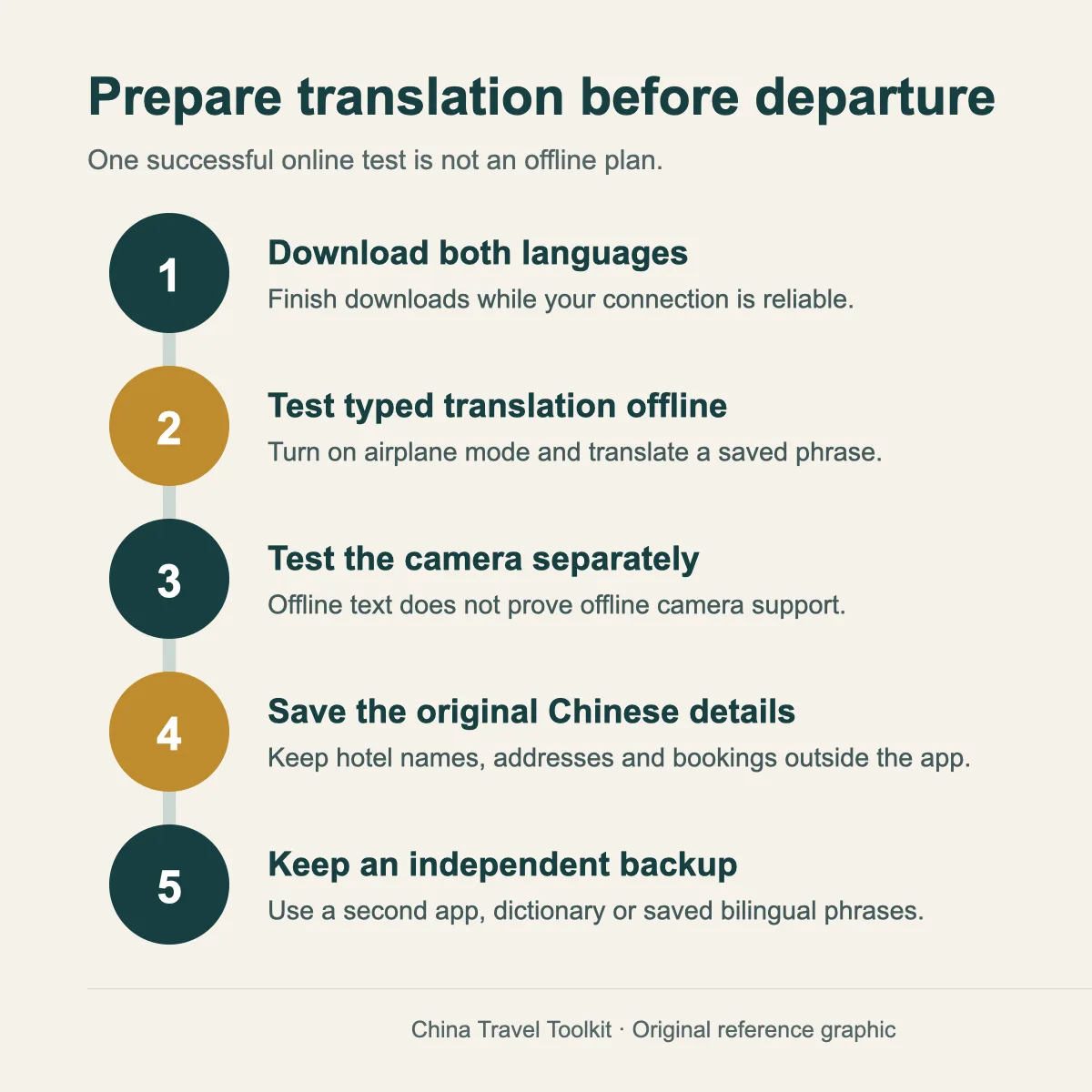
Prepare this before departure
- Download Chinese and your preferred language.
- Test typed translation in airplane mode.
- Test camera translation separately.
- Save your first destination and critical phrases outside the app.
- Keep a second app or dictionary as an independent backup.
Our First 72 Hours in China guide includes the wider arrival sequence and an offline pack for hotel, transport, payment and emergency information. Download it before travel rather than trying to rebuild your notes after landing.
What to Do When Translation Fails
- Stop adding more words. Reduce the question to one concrete action or destination.
- Show the original information. Use the Chinese hotel name, address, station, booking page or ticket.
- Switch input method. Move from speech to typed text, or from a live camera to a clear still photo.
- Switch tools. Try the downloaded backup or use Pleco to identify critical characters.
- Ask the right person. Hotel staff, a station service center, attraction staff or an official transport desk can interpret the context better than an app.
If the issue affects immediate safety or health, contact local emergency services or seek a human interpreter. Do not keep retrying machine translation while delaying necessary help.
Account, Privacy and Region Limits
Translation apps can process text, voice recordings and images. That may include passport details, hotel bookings, medical information or private messages if you point the camera at them. Use the current privacy controls and avoid submitting more personal information than the task requires.
- Apple: Apple says downloaded source and target languages can enable on-device processing; online requests may send text, audio or recognized image text to Apple.
- Google: sign-in affects cloud history and synchronization, but signing out is not a promise that every feature is processed locally.
- Microsoft: the consumer app processes submitted text, images and voice under Microsoft’s privacy statement. Enterprise “No Trace” claims should not be applied to the free consumer app.
- Pleco: basic dictionary use and paid content have different account, purchase and activation paths. Review the current policy and finish required downloads before travel.
Store region, operating-system version and device support can also change what you see. This guide therefore does not promise a universal app-store link or a fixed minimum OS version.
FAQ
What is the best translation app for China travel?
There is no universal winner. Apple Translate is a strong built-in starting point on iPhone. Google Translate offers broad features on iPhone and Android when prepared offline. Microsoft Translator is a useful offline alternative on Android. Pleco is a specialist Chinese dictionary and optional OCR backup.
Does Google Translate work in China?
Google documents offline packs and supported offline camera translation, but the reviewed official sources do not guarantee stable access to its online functions on ordinary mainland China connections. Download the required languages and test your exact offline workflow before departure.
Can I translate Chinese menus with my camera?
Apple, Google and Microsoft document camera or image translation under supported conditions. Pleco offers paid Chinese OCR. Results can fail with glare, stylized text or dish names, so use a prepared bilingual statement for allergies and ask staff to confirm important details.
Can translation apps work without internet?
Some functions can. Apple and Google document downloadable languages for supported workflows. Microsoft currently supports offline packs on Android but not iPhone. Pleco can perform downloaded dictionary functions offline. Test text and camera modes separately in airplane mode.
Should I translate my hotel address into English?
No. Keep the original Chinese hotel name and address. Use translation to understand or ask a question, but show the original Chinese text to a driver or staff member.
Can I use a translation app for a medical emergency?
Use it only as a temporary aid while seeking human assistance. Machine translation should not be the sole basis for medical, legal, immigration or safety-critical decisions.
Official Sources and Last Verified Date
Last verified: September 8, 2026. This guide describes officially documented capabilities, not guaranteed mainland-China performance or personal testing.
- Apple Support: Translate text, voice and conversations
- Apple Support: downloaded languages and on-device translation
- Apple: iOS feature availability in mainland China
- Apple: Translation and Privacy
- Google Translate Help: download languages for offline use
- Google Translate Help: translate images
- Google Translate Help: speech translation
- Google Privacy Policy
- Microsoft Translator: Android help and offline rules
- Microsoft Translator: iOS help
- Microsoft Translator: supported languages and features
- Microsoft Privacy Statement
- Pleco: official product overview
- Pleco: current add-ons and OCR
- Pleco for iPhone and iPad
- Pleco for Android
- Pleco Privacy Policy